Open-source video converter for desktop
Tricycle is a free video software for desktop devices that was created by an independent developer who goes by the name, kmcclive. It is an open-source video converter that aims to simplify the process of conversion for users and take much of the guesswork out of the equation.
Top Recommended Alternative

Similar to the likes of Total Video Converter or Handbrake, Tricycle offers plenty of features and options for various types of users and conversion scenarios, while still maintaining user-friendliness. It was developed so that even beginners and newcomers to video converters won't have much difficulty using it.
How do I use Tricycle?
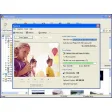
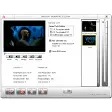
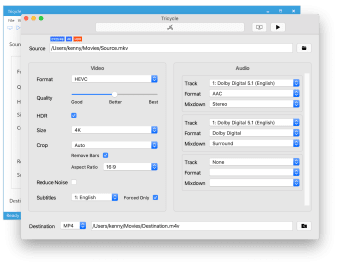
Tricycle features a clean and simple user interface. It utilizes a dual-pane layout for both video and audio and will populate with various details and options when a new source is added. Use the browse button located on the right side to add a new video. Once added, you can see the file's duration and resolution just above the source box, with unusually small text size, and highlighted in blue.
You can choose between AVC (H.264) or the newer but less common HEVC (H.265) for video formats. Adjust the quality slider with Good, Better, and Best presets. You can even enable HDR for devices that support it. The size menu offers 480p, 720p, 1080p, or same as source options. Then, you use the crop setting to switch to 4:3 or 16:9 aspect ratios. Lastly, you can apply noise reduction and add subtitles, as well.
For audio, you get three options for adding a track, convert to another format, and downmix from stereo to mono. Click on the monitor icon and play button at the top-left for previews or to start conversion. Some things to note if you start using Tricycle. First, it's heavy on resources and requires a powerful PC. The second is that it has no batch conversion support.
Simple, intuitive, and capable
All things considered, while Tricycle might not be as feature-packed as some of its contemporaries, what it does offer will be enough for most needs. Add to that, its simplicity and ease of operation, and you get a rather capable video converter that is worth a shot if you're looking for a free and open-source option.













.png)